Booking on Behalf of a Traveler
This streamlined process enables efficient traveler bookings without navigating multiple steps, making it particularly beneficial when the Admin User knows the specific traveler to book.
Booking Process Overview
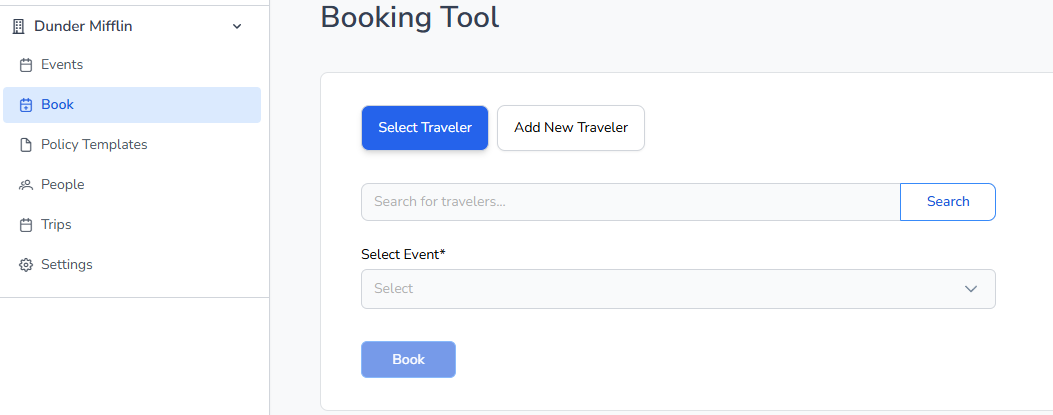
The Admin User can book a traveler using a simplified method that bypasses the traditional navigation through Event, Policy, invite, select traveler, and then booking. This process is designed to enhance efficiency and user experience.
Steps to Book a Traveler
Search for an existing traveler or add a new traveler to the system.
Select the appropriate Event and Policy for the booking.
Choose the booking method:
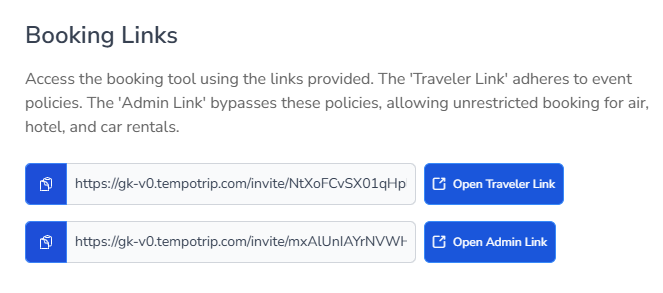
Traveler Link: This option includes all policy enforcements and is limited to air travel only.
Admin Link: This option bypasses all policy enforcement and allows booking car and hotel accommodations in addition to air travel. The Admin Link is typically utilized for VIP, C-Suite, or white-glove service bookings.