
Custom Invite Messages
Customizing your email invitations can enhance communication and ensure recipients receive the necessary information clearly and concisely.
Setting a Default Message for Email Invitations
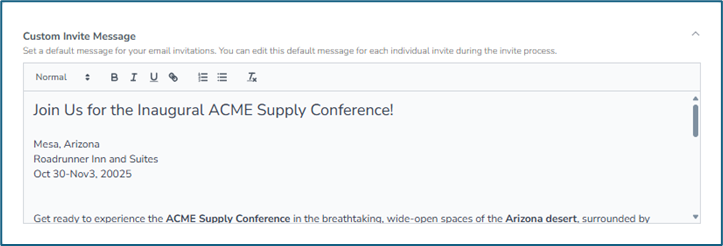
To streamline the invitation process, you can set a default message that will automatically populate in your email invitations. This feature allows you to maintain consistency in your communications while also providing the flexibility to customize messages for individual invites as needed.
Steps to Set a Default Message
Client into an event Policy
Scroll down to Custom Invite Message
This will display on every invite email that you send to your travelers under that policy.
Customizing Messages for Individual Invites
While the default message will be used for most invitations, you have the option to edit this message for each individual policy during the invitation process. This allows you to tailor your communication to suit the specific context or recipient of the invitation.