
Inviting Travelers
This article provides the steps for managing invites, adding travelers manually, searching for existing profiles, and utilizing bulk import features.
Managing Invites
Invites are managed through the "Invites + Trips" link located in the left-hand menu of the Options Travel platform.
Steps to Add Travelers
To add travelers to a meeting invite, follow these steps:
Click on the "Invites" link, then click on the "ADD" button located at the top right-hand corner of the page.
Select the policy to associate with the travelers.
Travelers can be added to the invite in one of three ways:
Add Manually
Search for Previously Profiled Travelers
Bulk Import
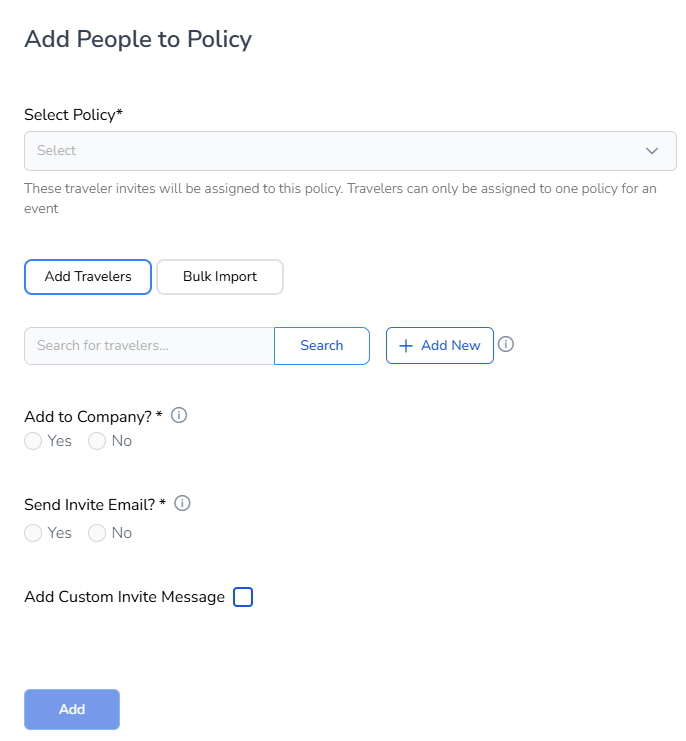
Adding Travelers Manually
To add travelers manually, click on the "Add New" button. Input the first name, last name, and email address of the traveler, then click "Add." The name will be added to the list. Repeat this process as necessary.
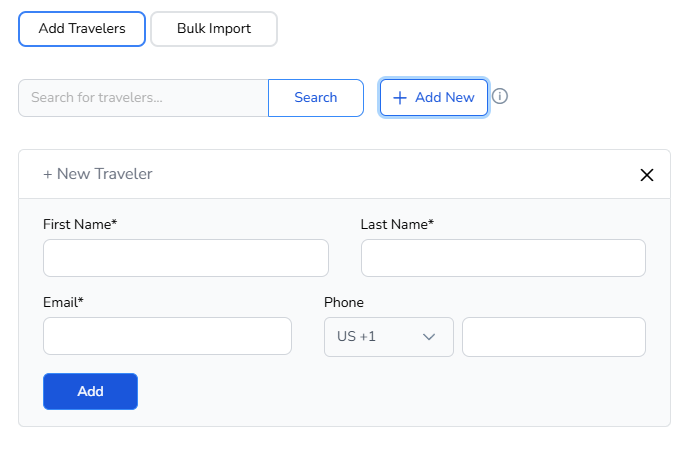
Searching for Existing Travelers
To invite travelers who already have profiles, type their name in the search box and click "Search." Alternatively, you can click "Search" without any input in the search box to view all profiles. Select the desired name to add them to the list, and repeat as necessary.
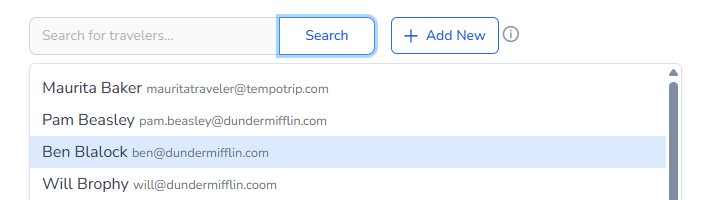
Invite Travelers via Bulk Import
Attendees can also be uploaded via bulk import using a CSV file. The Traveler Invite import allows for the same fields as the Traveler Profile import. The required fields include:
First Name
Last Name
Email Address
All other fields are optional. Note: Importing travelers to the invite does not automatically create a profile, and vice versa.
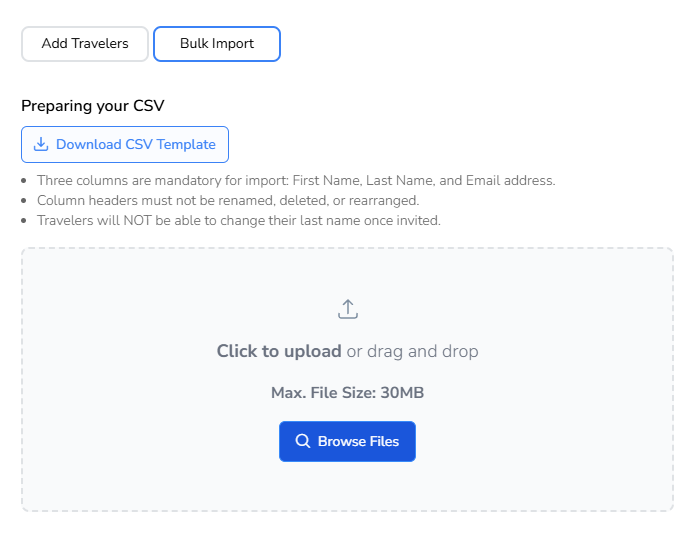
Sending Meeting Invites
Determine whether you want to add the travelers to the company profile and whether to send a meeting invite now. You can also choose to send a custom message with the invite or use the TempoTrip standard invite.
Note: Invites can be sent later and managed through the Dashboard.
Important: If a traveler invitee has a profile in TempoTrip, when the booking is being made, the system will locate the profile by email address and populate the profile details into the booking.