
Airport, Date, Time & Search Settings
Welcome to our guide on managing airport and date time settings in TempoTrip! This feature is designed to help you streamline traveler searches and bookings by specifying essential details like dates, airports, and times. Let’s dive into how you can make the most of this functionality.
Understanding the Feature
This feature is not configurable if any route type is selected. Each "Leg" represents a destination in the traveler's journey, regardless of the number of layovers involved.
Types of Travel Itineraries
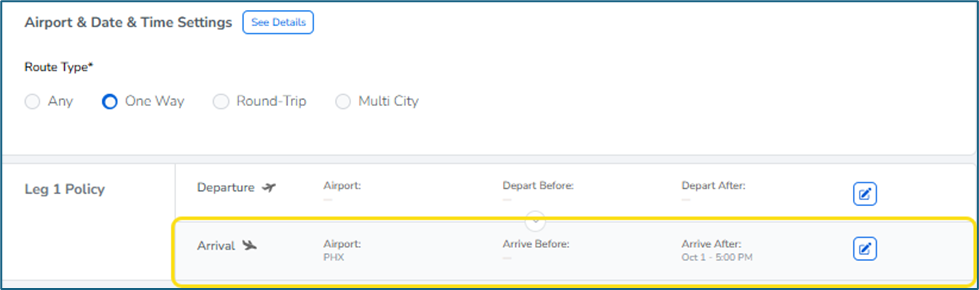
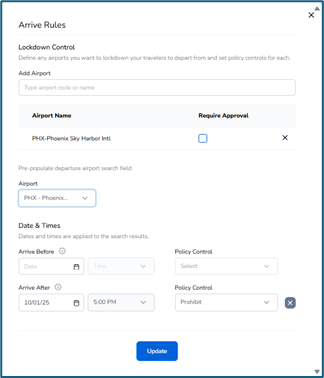
One-Way: Leg 1 covers one-way trips. You can define the departure airport, arrival airport, or both.
Example: Travelers must arrive in Phoenix by 5 PM on October 1st (Leg 1 Arrival). Utilize the Arrival policy to lock in Phoenix as the destination and establish the arrival time.
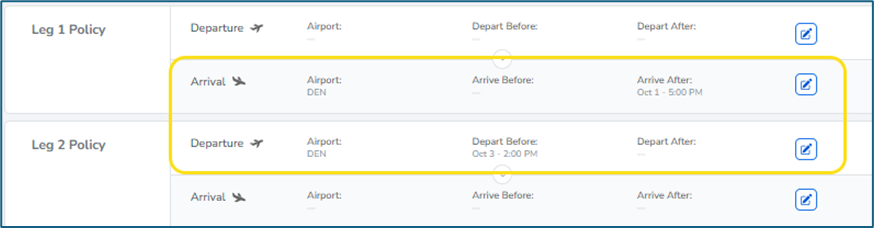
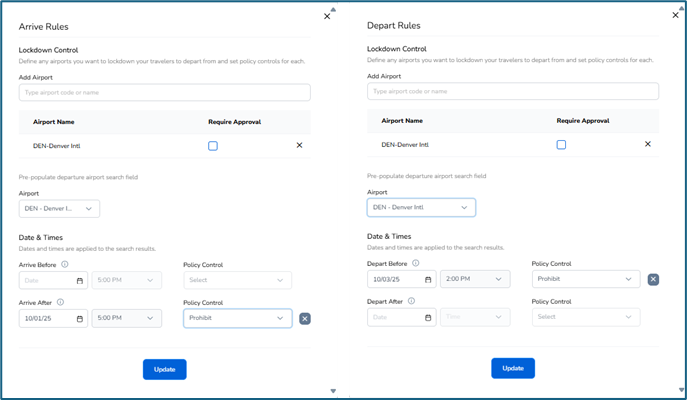
Round-Trip: Leg 1 is for the outbound journey, and Leg 2 is for the return.
Example: Travelers must reach Denver by 5 PM on October 1st (Leg 1 Arrival) and depart Denver after 2 PM on October 3rd (Leg 2 Departure).
Multi-City: Use Leg 1, Leg 2, and Leg 3 to manage each destination within multi-city itineraries.
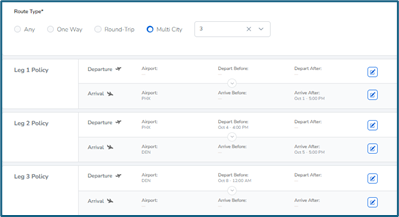
Search Options: Schedule vs. Price
You have the option to choose between "Search by Schedule" (default) and "Search by Price" at the Policy Level. To switch to Search by Price, simply click on the checkbox. An info button is also available to provide more details about the differences between the two options.
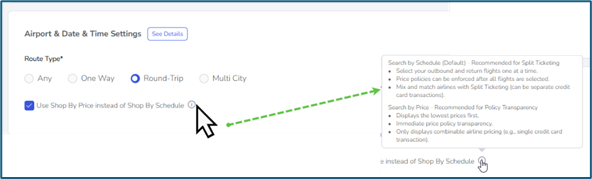
Search by Schedule
Primary Goal: The user’s main objective is to find travel options that align with specific times and dates. The user knows when they need to depart or arrive and is looking for a flight that fits their desired timeline.
Search by Price
Primary Goal: The user’s main objective is to find the most cost-effective travel option, often with a high degree of flexibility. The user may not have a fixed date or time in mind and is willing to adjust their travel plans to get the best deal.
How This Relates to TempoTrip
The Traveler Search Input screen remains unchanged regardless of the search method chosen.
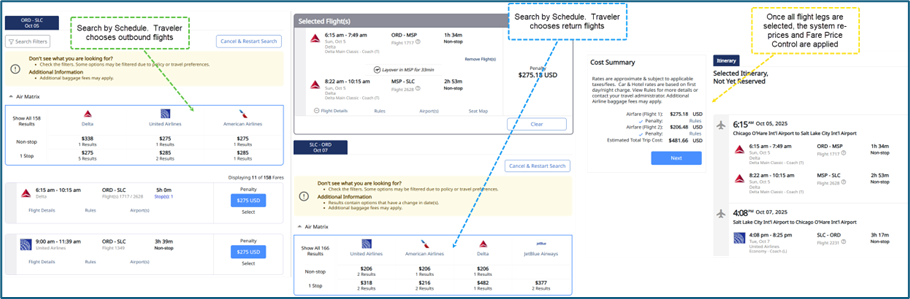
With Search by Schedule, the traveler selects the 1st leg flights with one-way pricing displayed, then the 2nd leg flights (if round trip), and chooses the 3rd and 4th leg flights (if multi-city), all showing one-way pricing.
Once all legs are selected, the system will re-price the itinerary and apply the Policy Fare Pricing Controls at that time.
The selected flights may be in-policy or out of policy once the repricing is returned. Depending on the policy control, the chosen itinerary may or may not be out of policy, or allowed to be booked, and may offer alternative flights.
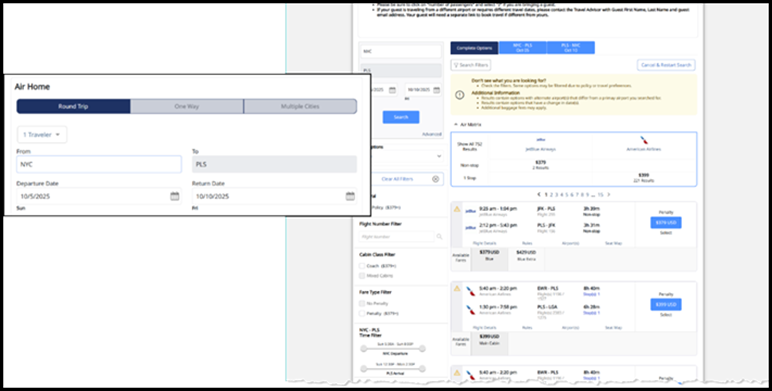
With Search by Price, the flight legs are prepackaged, and the Policy Fare Price Control is applied simultaneously with the Air Matrix being returned.
We hope this guide helps you navigate the airport and date time settings in TempoTrip with ease. Happy traveling!