
Event Dashboard Overview
Welcome to the guide on the homepage view for Company Owners and Company Admins at TempoTrip! This document will help you navigate through the various features available on your dashboard, ensuring you can manage your events and settings with ease.
Overview of the Homepage
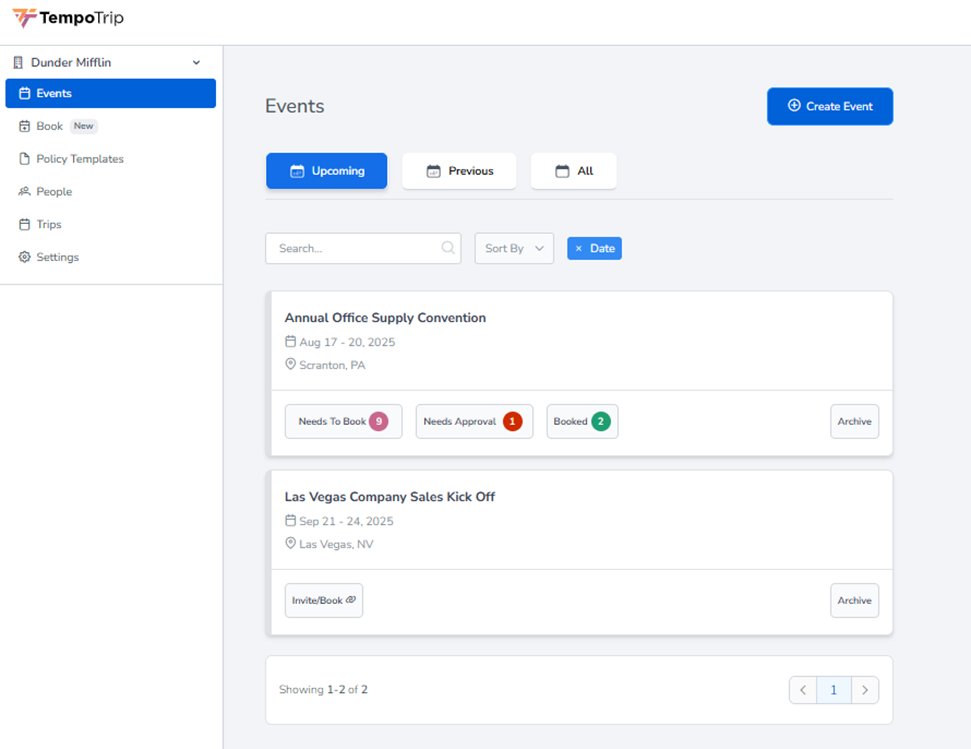
When you log in as a Company Owner or Company Admin, you will be greeted with a default view of your Events, which can be found highlighted on the left-hand navigation pane. This is your central hub for managing all aspects of your company’s travel events.
Navigation Links
In addition to the Events section, you will find several other navigation links available:
Book
Policy Templates
People
Trips
Settings
Managing Events
The Events section is designed to keep you organized and informed about your upcoming and past events. By default, you will see Upcoming Events, but you can easily filter your view to see Previous Events or All Events.
Searching and Sorting Events
If you are looking for a specific event, you can use the search feature by entering relevant text in the Search field. Additionally, events can be sorted by:
Name
Date
Location
Creating New Events
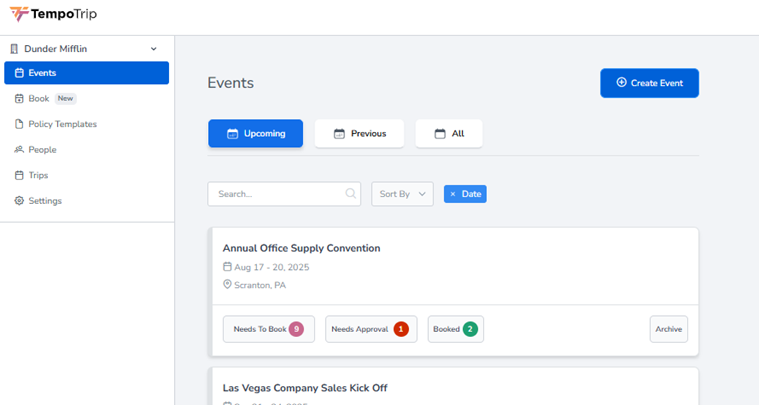
To create a new event, simply click on the Create Event button located in the top-right corner of the Events section. This will allow you to set up new travel arrangements for your company.
Viewing Event Details
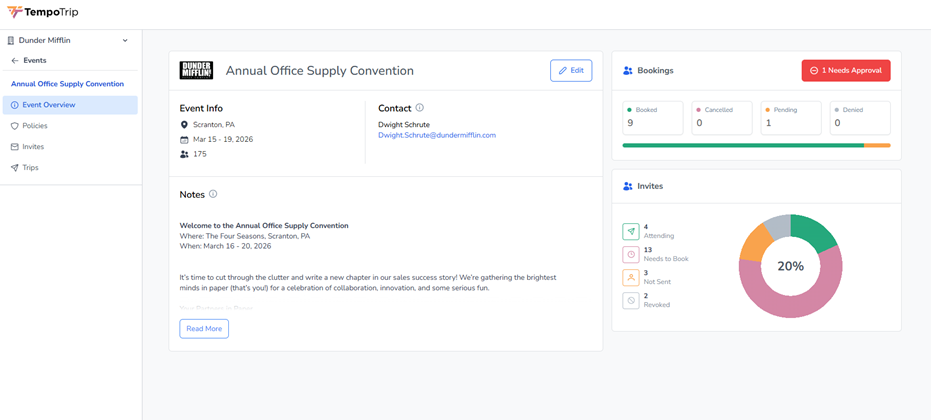
By clicking on any event, you will be taken to a detailed view of that specific event. The left-hand navigation pane will adjust to display options relevant to the event you are viewing. If you wish to return to the main navigation pane, just click on the <- Events link.
We hope this guide helps you navigate your homepage effectively.