
Event Logo Setup & Specifications
Welcome to our guide on uploading your event logo! This document will walk you through the key requirements and specifications for ensuring your logo looks great throughout the booking process. Let's get started!
Key Requirements for Logo Upload
When uploading your logo via the Event setup page, please keep the following requirements in mind:
File Types
JPG (.jpg)
PNG (.png)
Dimensions
The logo you upload will be resized based on its height to ensure it fits perfectly in the designated areas. Here are the specifics:
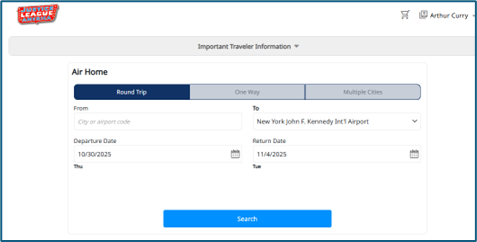
Top Left Screen or Event Screen
Your logo will be resized to a maximum width of 132 pixels and a maximum height of 62 pixels. The height is the determining factor, so the aspect ratio will resemble a rectangle, with the height being approximately 47% of the width.
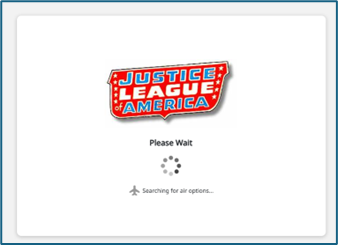
Search and Book Interstitials
In the Search and Book interstitials, the logo will not be resized as drastically and will appear around 280 pixels (width) x 175 pixels (height).
Logo Visibility
Your logo will be prominently displayed to travelers throughout the booking process in the top-left corner and during interstitials while searching for results. Additionally, Company Admins will also see the logo in the Company Event if it has been uploaded.
Logos will also appear on the following emails:
Traveler Invite Email
Traveler Reminder Email
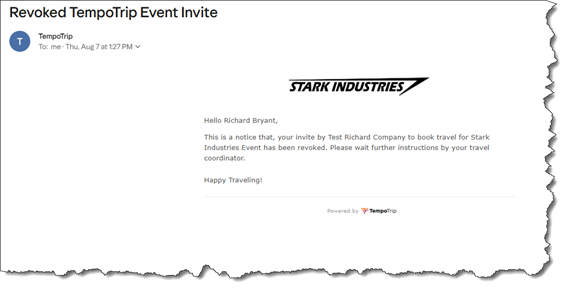
Traveler Invite Revoke Email
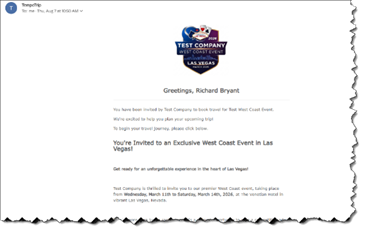
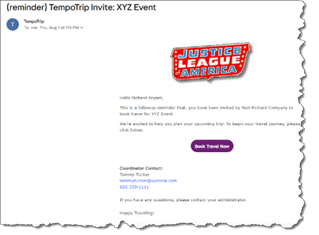
The logo configured in the Event setup will be the same logo used in these emails. The maximum size for the logo in the emails is 280 pixels (width) x 175 pixels (height), and it will auto-resize based on the maximum width or height. This size is similar to how the logo appears on the TempoTrip Book or Confirm interstitials.
Logo Examples
Here are some examples of how different logo shapes will appear in the emails:
Example of a square logo on the initial Invite email
Example of a rectangle logo on the Reminder email
Example of a long horizontal logo used on the Revoked Invite email
We hope this guide helps you successfully upload your event logo! If you have any questions or need further assistance, feel free to reach out to our support team.