
Event Notes & Customization
Welcome to our guide on how to add notes to your event! This feature allows you to keep track of important information and share it with travelers. Follow the simple steps below to make the most of this functionality.
Steps to Add Notes
Here’s how you can easily add notes to your event:
First, remember that adding notes is optional and can be edited once the event is saved.
After saving your event, click on the "Edit" button to make changes.
Scroll down to the "Notes" section where you can add your desired notes.
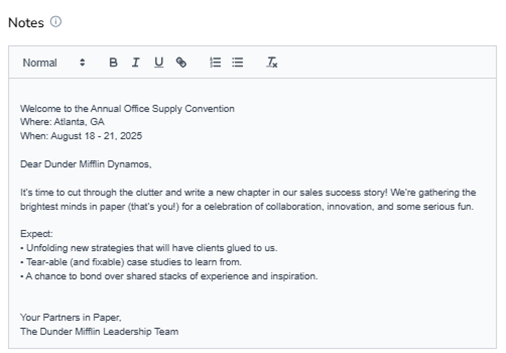
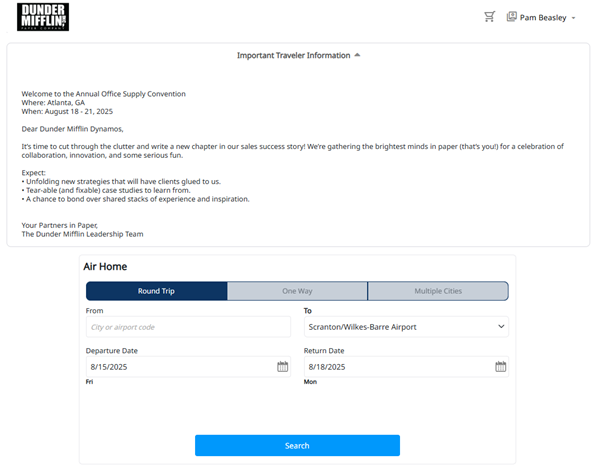
Your notes will then appear on the traveler booking request pages, making it easy for everyone to stay informed!
We hope this guide helps you enhance your event planning experience. If you have any questions or need further assistance, feel free to reach out!