
Custom Profile Fields
Welcome to our guide on Custom Profile Fields! In this article, we will explore how to set up and manage these fields within your TempoTrip account. Custom Profile Fields are a fantastic way to tailor your travel experience and ensure that all necessary information is captured efficiently.
Setting Up Custom Profile Fields
Custom Profile Fields can be easily set in the Settings section at the Company level. This allows you to create fields that are specific to your organization’s needs.
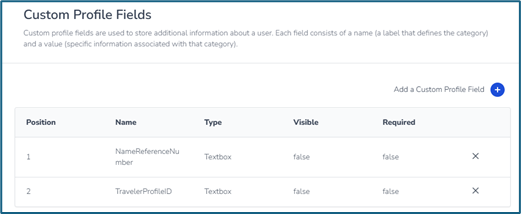
Examples of Custom Profile Fields
Employee ID
Traveler Event Registration Number
Department Code
Viewing and Modifying Custom Profile Fields
Once set up, these fields can be viewed and modified by travelers. However, you also have the option to hide certain fields. For instance, a field like the Cvent Registration ID may be hidden from the traveler, even though it is included in the profile import process.
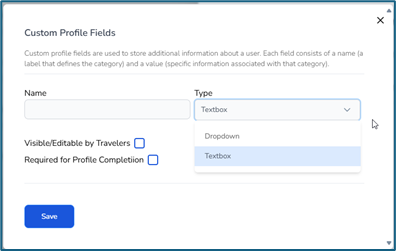
Integrating Custom Profile Fields with Your Agency's GDS
Custom Profile Fields can be configured to be input into your Agency’s Global Distribution System (GDS) through agency-level Reporting/Remarks. This process is essential for file finishing and ensures that your agency's reporting aligns with your company's requirements.
By utilizing Custom Profile Fields, you can enhance the travel experience for your employees and streamline the data management process. If you have any questions or need assistance, feel free to reach out to our support team!