
Access MFA settings
Welcome to our guide on managing your Multi-Factor Authentication (MFA) settings in TempoTrip! Keeping your account secure is essential, and we’re here to help you navigate the process with ease.
How to Access Your MFA Setup
You can access your MFA setup anytime through your TempoTrip profile. Just follow these simple steps:
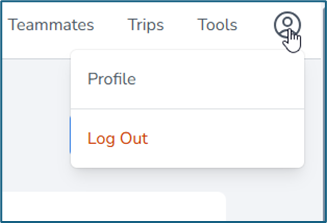
Click on the Profile icon.
Select Profile from the dropdown menu.
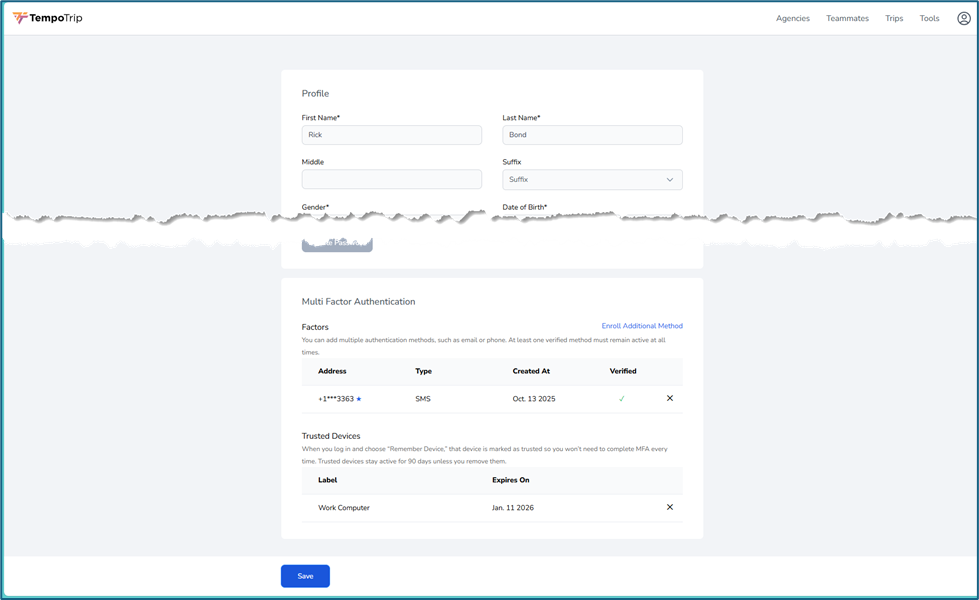
Scroll to the bottom of your profile to find your MFA settings.
Managing Your MFA Settings
Once you’re in the MFA settings section, you can:
View your current MFA methods.
Delete any methods you no longer wish to use.
Enroll in new MFA methods for added security.
By following these steps, you can easily manage your MFA settings and ensure your account remains secure. If you have any questions or need further assistance, feel free to reach out to our support team!