
Trip Approval Process
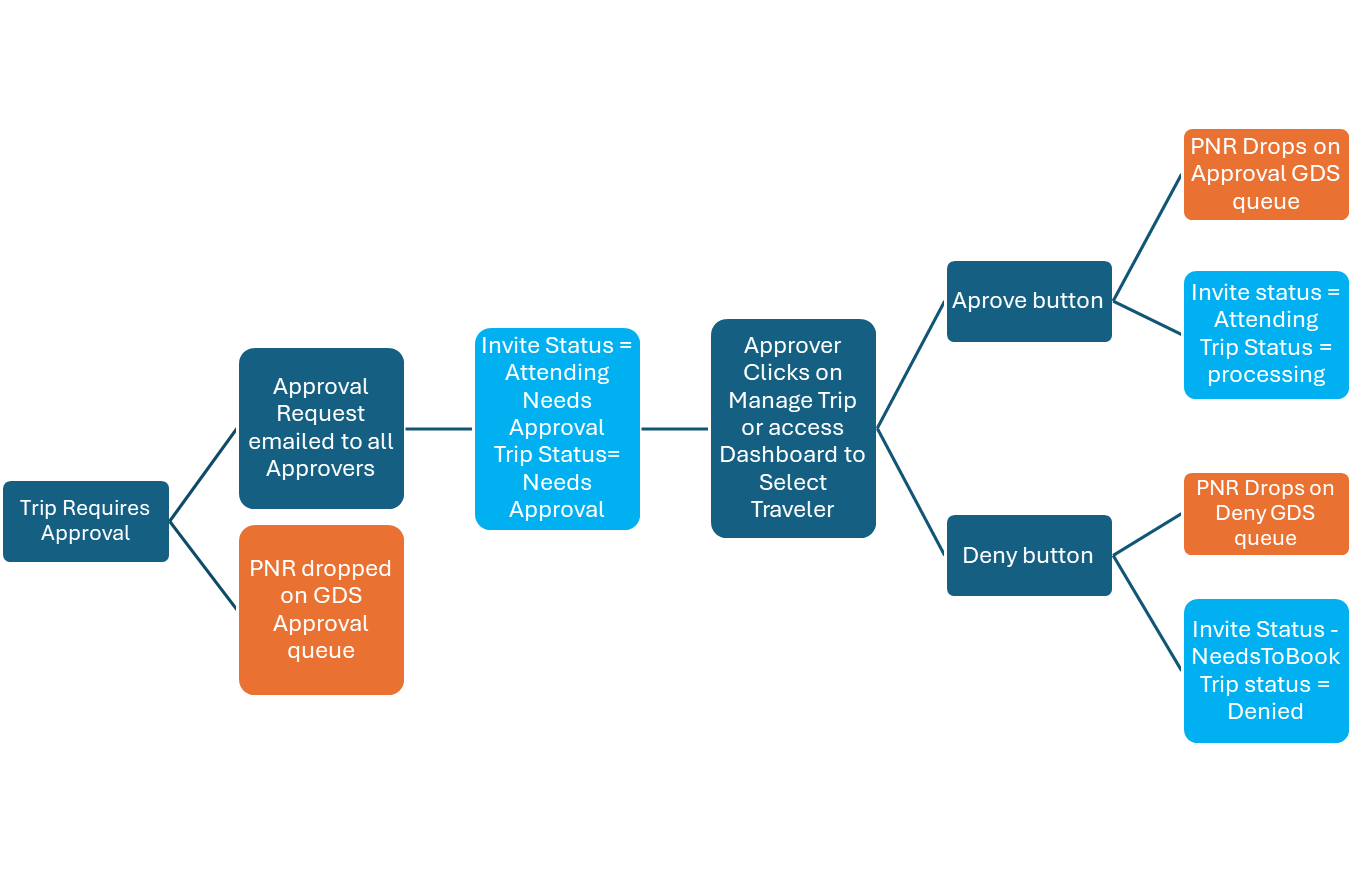
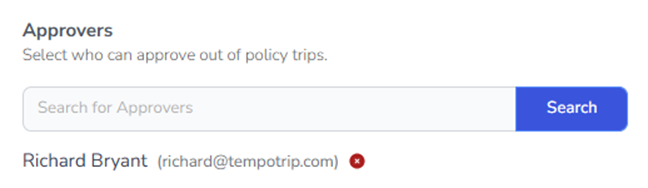
Triggered by Policy Control – Require Approval – when policy control violated
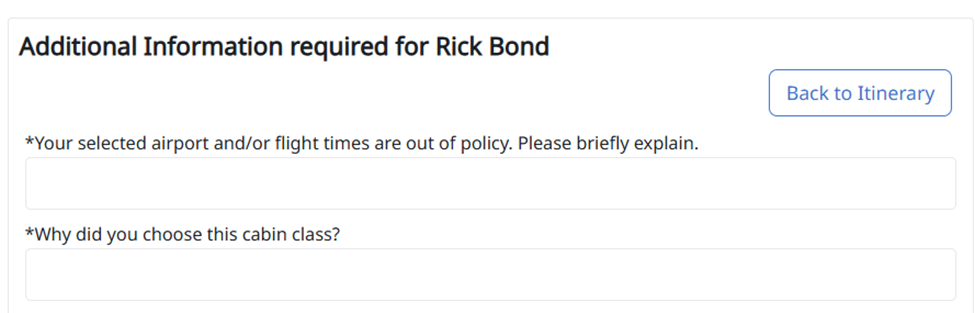
1. Traveler makes reservation, if Policy is violated, traveler will be required to input reason why
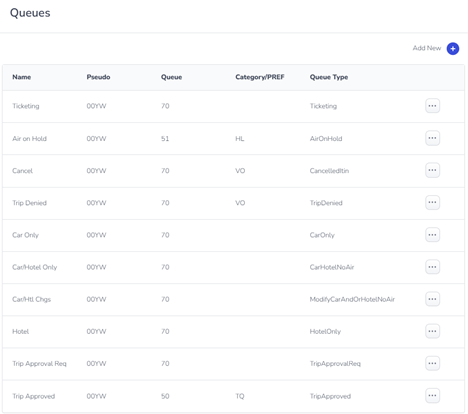
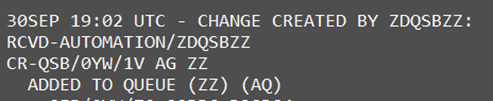
2. If policy control is violated, PNR will be dropped on Queue designated in Setup
3. Simultaneously, all Travel Approvers input in the Policy will be notified via email along with the traveler’s response to why they chose the flights and violated the policy
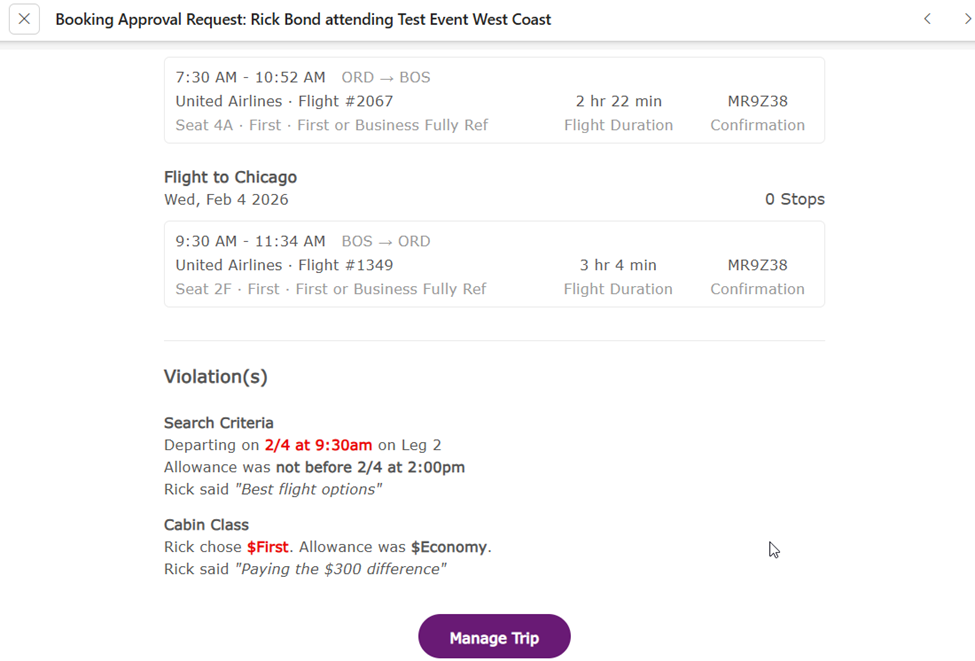
4. Trip will be marked in Invites + Trips Dashboard as Trip Approval Required in the Invites view of the dashboard and Needs Approval on the Trips view of the dashboard


5. Trip Approvers can click on the Manage Trip link which takes them back to the dashboard to view the statuses or can at any time go directly to the dashboard to view pending approval trips
6. Once in the dashboard, clicking on the Trip Details will display the trip, the Approve or Deny button and the reason the traveler chose the flights
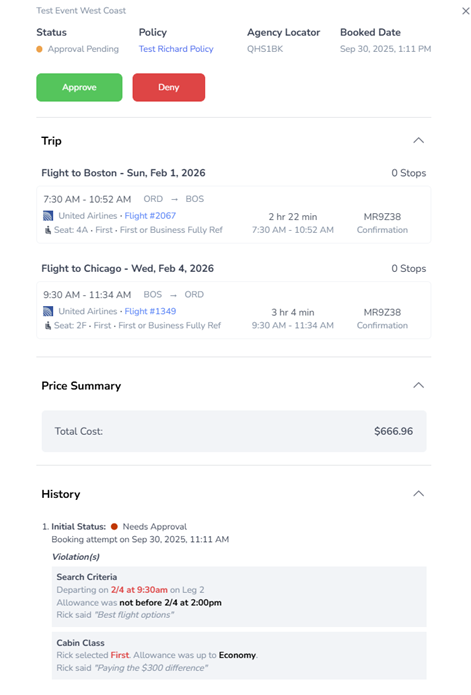
7. Dashboard status
Pending Approval Invites and Trips display
Invite

Trip

Declined Invites and trips display
Invite

Trip

Approved Invites and Trips display
Invite

Trip

Trip status after ticketing
Approved trip

Trip requiring no approval
